Generative AI & Prompt Engineering for Software Developers — Join Us October 16!

AI isn’t the future—it’s now. And if you’re a software developer, the question isn’t whether you should learn how to use generative AI, but how fast you can get up to speed.

That’s exactly why we’re offering our live, one-day workshop:
“Generative AI & Prompt Engineering for Software Developers”
–October 16, 2025
–Live & Instructor-Led
–Sign up today!


What You’ll Learn

This isn’t a surface-level intro. We’re going deep on how AI is revolutionizing modern software development and how to take full advantage of it in real-world projects. You’ll learn:

Real-world use cases (and hands-on labs) using the AI tools we’re integrating at Intertech today

How to write precise, effective prompts to get quality output from AI tools

Best practices for using ChatGPT and other large language models in coding, documentation, testing, and debugging

Common prompt pitfalls and how to avoid them

How to speed up project delivery without compromising quality

Intertech Launches AI Application Development Course

This one-day interactive course equips intermediate software developers with the knowledge and hands-on experience needed to use Generative AI effectively within the software development lifecycle. Participants will explore practical prompt engineering techniques using GitHub Copilot as the primary interface for interacting with leading LLMs, including ChatGPT, Claude, and others.

Visit the Intertech website to learn more and enroll.

Why Simplicity Wins in Software—and in Business

Early in my career, I thought complexity signaled sophistication.
Big words. Big diagrams. Fancy solutions.

But after building software for 30+ years and leading a consulting firm through market swings, tech revolutions, and team transitions, I’ve learned the opposite is true:

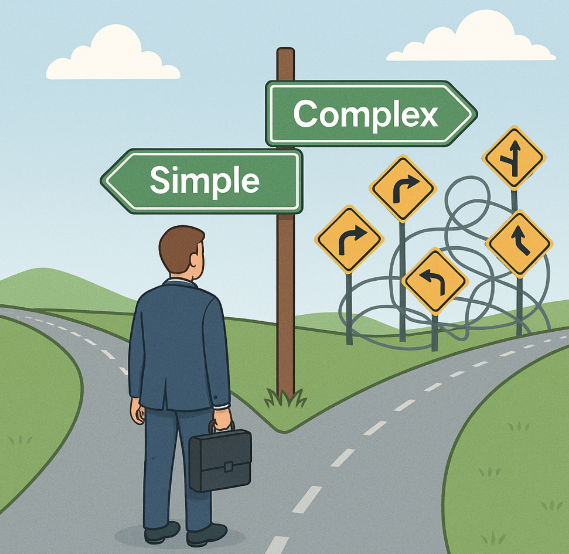
Simplicity wins. Every time.


In software:

  • The simple solution ships faster.
  • It’s easier to test, easier to maintain, and easier to explain.
  • Clients understand it. Developers trust it. Users prefer it.

Yes, some problems are inherently complex. But that’s all the more reason not to add layers just to look smart. Good software makes the complex feel simple—not the other way around.


In business:

  • A clear offer converts better.
  • A focused strategy beats a scattered one.
  • Teams move faster when they know exactly what matters.

We’ve said no to “opportunities” that didn’t fit our core business because we know what we’re great at—and more importantly, what we’re not. That clarity creates momentum.


The cost of complexity:

  • Confused customers
  • Overstretched teams
  • Projects that drag on
  • Decisions that never get made

Complexity creeps in when no one’s watching. It takes discipline to say, “This is enough.” Or even better: “This is too much.”


Simple isn’t easy. It’s a choice.
It requires thought, tradeoffs, and a bias for clarity over control.

But when you choose simplicity—whether in an architecture diagram, a process, or a product offering—you gain something far more valuable:

Focus. Velocity. Trust.

AI Is Great—But It Can’t Think for You

I use AI every day.
It drafts proposals, outlines blog posts, summarizes meetings, and even helps prep for client calls. It saves time, sharpens execution, and makes life easier.

But here’s the mistake I see too many people make:
They expect AI to do the thinking.

It won’t.


AI is fast, but it’s not wise
AI can generate five paragraphs in two seconds. But are they aligned with your strategy? Your client’s goals? Your voice? That still takes human judgment.

Speed without direction is just fast noise.


It doesn’t understand nuance
I’ve asked AI to write content before and thought, “Well… technically, this is fine. But it misses the point.”
Why? Because it doesn’t know what matters most. It doesn’t know your team’s dynamics, your client’s unspoken concerns, or how trust actually works in your industry.


It’s a tool, not a replacement
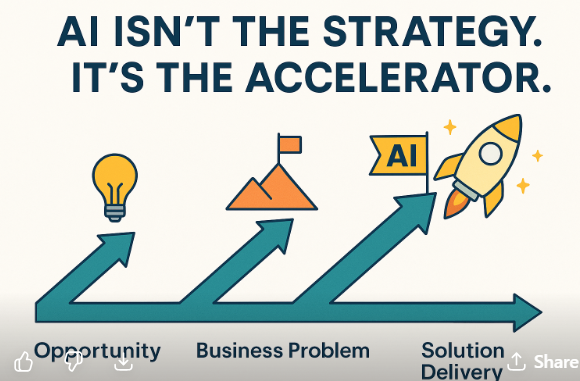
AI can help you do the work. It can’t decide what work is worth doing. That’s strategy. That’s context. That’s leadership.
It’s like hiring the fastest assistant on earth who still needs clear direction—every single time.


How to use AI the right way:

  • Use it to generate first drafts, not final decisions
  • Let it automate low-value tasks so you can focus on high-value thinking
  • Pair it with your judgment, not your abdication

The real risk isn’t that AI replaces us
The real risk is that we stop thinking, stop leading, and stop learning—because we assume AI will handle it.

It won’t.
It’s here to help. But it still needs you at the helm.

The AI Assistant I Use Daily (And What It’s Replaced)

I’m not interested in hype. I care about tools that save time, improve output, and help me lead better.

So when AI entered the picture, I didn’t dive in headfirst. I tested. I questioned. And now? I use it daily—not as a novelty, but as a real assistant.

Here’s what I use, what it’s replaced, and how it’s changed how I work.


1. Brainstorming and outlining
What I used to do: Stare at a blank page, jot disconnected ideas, reorganize them endlessly.
What I do now: Ask AI to generate outlines based on a topic I’m thinking through—blog posts, internal comms, training content.
Result: I start 10x faster. I still tweak and guide the structure, but I’m never starting cold.


2. First drafts of communication
What I used to do: Spend too much time rewriting emails or announcement drafts to strike the right tone.
What I do now: Feed a few bullet points to AI and ask for a clear, professional first draft.
Result: It cuts my writing time in half. I still personalize and trim—but the heavy lifting is done in seconds.


3. Meeting prep and research
What I used to do: Search LinkedIn, dig through old emails, skim websites for client or prospect info.
What I do now: Ask AI to summarize a company, recent news, or role-specific concerns for the person I’m meeting.
Result: I walk into meetings sharper—with context and talking points ready.


4. Naming and titling
What I used to do: Lose time picking a blog title or subject line.
What I do now: Ask AI for 10 options and pick one.
Result: Better titles. Faster decision-making.


5. Idea vetting
What I used to do: Bounce ideas off a colleague or let them sit for days while I thought them through.
What I do now: Use AI as a sounding board—asking “What are the downsides?” or “What would a skeptic say?”
Result: Faster clarity. Still human judgment—just faster.


What AI hasn’t replaced:

  • My judgment
  • Strategy
  • People skills
  • Trust
  • Leadership

AI doesn’t replace the hard stuff. But it helps me get to the hard stuff faster. And that’s the point.