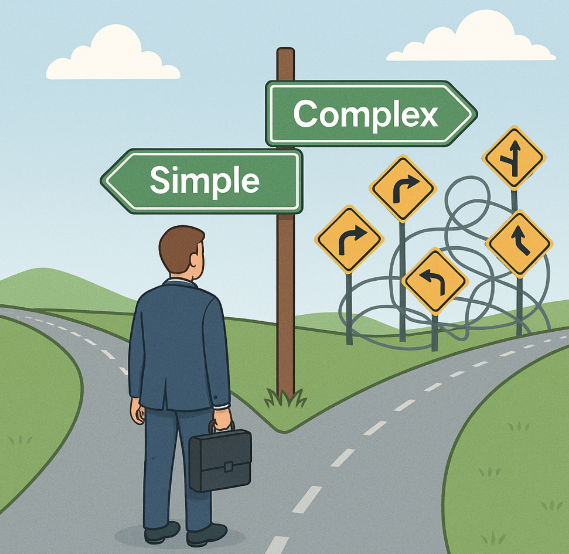
Why Simplicity Wins in Software—and in Business

Early in my career, I thought complexity signaled sophistication.
Big words. Big diagrams. Fancy solutions.

But after building software for 30+ years and leading a consulting firm through market swings, tech revolutions, and team transitions, I’ve learned the opposite is true:

Simplicity wins. Every time.


In software:

  • The simple solution ships faster.
  • It’s easier to test, easier to maintain, and easier to explain.
  • Clients understand it. Developers trust it. Users prefer it.

Yes, some problems are inherently complex. But that’s all the more reason not to add layers just to look smart. Good software makes the complex feel simple—not the other way around.


In business:

  • A clear offer converts better.
  • A focused strategy beats a scattered one.
  • Teams move faster when they know exactly what matters.

We’ve said no to “opportunities” that didn’t fit our core business because we know what we’re great at—and more importantly, what we’re not. That clarity creates momentum.


The cost of complexity:

  • Confused customers
  • Overstretched teams
  • Projects that drag on
  • Decisions that never get made

Complexity creeps in when no one’s watching. It takes discipline to say, “This is enough.” Or even better: “This is too much.”


Simple isn’t easy. It’s a choice.
It requires thought, tradeoffs, and a bias for clarity over control.

But when you choose simplicity—whether in an architecture diagram, a process, or a product offering—you gain something far more valuable:

Focus. Velocity. Trust.

AI Is Great—But It Can’t Think for You

I use AI every day.
It drafts proposals, outlines blog posts, summarizes meetings, and even helps prep for client calls. It saves time, sharpens execution, and makes life easier.

But here’s the mistake I see too many people make:
They expect AI to do the thinking.

It won’t.


AI is fast, but it’s not wise
AI can generate five paragraphs in two seconds. But are they aligned with your strategy? Your client’s goals? Your voice? That still takes human judgment.

Speed without direction is just fast noise.


It doesn’t understand nuance
I’ve asked AI to write content before and thought, “Well… technically, this is fine. But it misses the point.”
Why? Because it doesn’t know what matters most. It doesn’t know your team’s dynamics, your client’s unspoken concerns, or how trust actually works in your industry.


It’s a tool, not a replacement
AI can help you do the work. It can’t decide what work is worth doing. That’s strategy. That’s context. That’s leadership.
It’s like hiring the fastest assistant on earth who still needs clear direction—every single time.


How to use AI the right way:

  • Use it to generate first drafts, not final decisions
  • Let it automate low-value tasks so you can focus on high-value thinking
  • Pair it with your judgment, not your abdication

The real risk isn’t that AI replaces us
The real risk is that we stop thinking, stop leading, and stop learning—because we assume AI will handle it.

It won’t.
It’s here to help. But it still needs you at the helm.

The AI Assistant I Use Daily (And What It’s Replaced)

I’m not interested in hype. I care about tools that save time, improve output, and help me lead better.

So when AI entered the picture, I didn’t dive in headfirst. I tested. I questioned. And now? I use it daily—not as a novelty, but as a real assistant.

Here’s what I use, what it’s replaced, and how it’s changed how I work.


1. Brainstorming and outlining
What I used to do: Stare at a blank page, jot disconnected ideas, reorganize them endlessly.
What I do now: Ask AI to generate outlines based on a topic I’m thinking through—blog posts, internal comms, training content.
Result: I start 10x faster. I still tweak and guide the structure, but I’m never starting cold.


2. First drafts of communication
What I used to do: Spend too much time rewriting emails or announcement drafts to strike the right tone.
What I do now: Feed a few bullet points to AI and ask for a clear, professional first draft.
Result: It cuts my writing time in half. I still personalize and trim—but the heavy lifting is done in seconds.


3. Meeting prep and research
What I used to do: Search LinkedIn, dig through old emails, skim websites for client or prospect info.
What I do now: Ask AI to summarize a company, recent news, or role-specific concerns for the person I’m meeting.
Result: I walk into meetings sharper—with context and talking points ready.


4. Naming and titling
What I used to do: Lose time picking a blog title or subject line.
What I do now: Ask AI for 10 options and pick one.
Result: Better titles. Faster decision-making.


5. Idea vetting
What I used to do: Bounce ideas off a colleague or let them sit for days while I thought them through.
What I do now: Use AI as a sounding board—asking “What are the downsides?” or “What would a skeptic say?”
Result: Faster clarity. Still human judgment—just faster.


What AI hasn’t replaced:

  • My judgment
  • Strategy
  • People skills
  • Trust
  • Leadership

AI doesn’t replace the hard stuff. But it helps me get to the hard stuff faster. And that’s the point.

If AI Is So Smart, Why Can’t It Run a Project?

AI can draft an email, summarize a meeting, write code, and even crank out a blog post like this one (with help). But there’s one thing it still can’t do:

Run a real project.

We’ve tried. We’ve experimented with AI for status reports, timelines, risk assessments, and backlog grooming. It’s impressive—fast, helpful, and often accurate. But project management? That’s still human territory.

Here’s why:


1. AI can’t read the room.
Deadlines shift. Priorities change. A stakeholder’s “no big deal” tone in an email actually means “I’m about to escalate this.”
AI doesn’t catch nuance. It doesn’t read body language, office politics, or tension over Teams calls. Project leaders do.


2. Projects don’t follow scripts.
Even the best Gantt chart goes sideways by week two. People get sick. Budgets get cut. A client pivots.
AI is great at pattern recognition—but projects are often the opposite: messy, emotional, and unpredictable. Leading through ambiguity takes real-time judgment, not pre-trained algorithms.


3. Relationships still matter. A lot.
When things go south (and they will), people want to talk to someone they trust—not a chatbot.
A seasoned project lead knows how to listen, adjust, empathize, and reset expectations without blowing up the timeline—or the relationship.


4. AI doesn’t know your business.
It knows businesses in general. It doesn’t know your unique challenges, team dynamics, or what happened last quarter that’s still lingering in the background.
Good project leadership isn’t just about tasks. It’s about context—and context still requires a human brain.


That said—AI is an amazing co-pilot.
It can flag risks faster. Draft communication. Generate insights from sprint notes.
But it’s not leading the call, navigating egos, or rescuing a deliverable gone off the rails. That’s you.

So no, AI can’t run a project.

But it can help you run one better.

Your Best Consultant Might Be the One Who’s Not Billing (Yet)

In consulting, there’s a saying:
“If they’re not billing, they’re costing.”

That’s technically true. But it misses something bigger.

At Intertech, we’ve come to realize that our most valuable consultants aren’t always the ones billing every hour. Sometimes, the people on the bench are driving the most important transformation in our business.

Right now, that transformation is AI.


Here’s how we’re using bench time strategically:

1. Training on AI tools and frameworks
Rather than rushing consultants into the next project, we give them structured time to learn tools like GitHub Copilot, ChatGPT, and AI-assisted test generation platforms. The result? They re-enter projects faster, more capable, and AI-enabled.


2. Standardizing AI in our dev process
We’re using bench cycles to build internal playbooks for applying AI—from proposal writing to automated documentation to code review. These aren’t “nice to haves.” They’re practical assets that increase velocity and quality across the board.


3. Prototyping with purpose
Benched consultants are experimenting with real-world use cases: generating scaffolding code, refactoring legacy modules, streamlining unit test creation, and integrating AI-driven analytics into apps. It’s hands-on R&D—without the overhead of a live project.


4. Supporting AI adoption across teams
Having AI-fluent consultants available helps us accelerate adoption across project teams. They’re building demos, advising PMs, and helping clients understand what’s possible. They’re our internal accelerators.


5. Staying ahead of client expectations
Clients are asking: “What’s your AI strategy?”
Our bench consultants are a big part of the answer. They’re not just staying billable—they’re making sure we stay relevant.


Bottom line?
A smart bench strategy isn’t just about cost control. It’s about innovation.
Done right, your non-billing consultants might be your most valuable team members—because they’re building the future you’ll soon be charging for.